
Operations Guide
Event Time Slots: How to Prevent Queues and Overcrowding
How to run an event with staggered entry: sizing your capacity, handling no-shows, choosing a booking model, and what to look for in a time-slot ticketing platform.

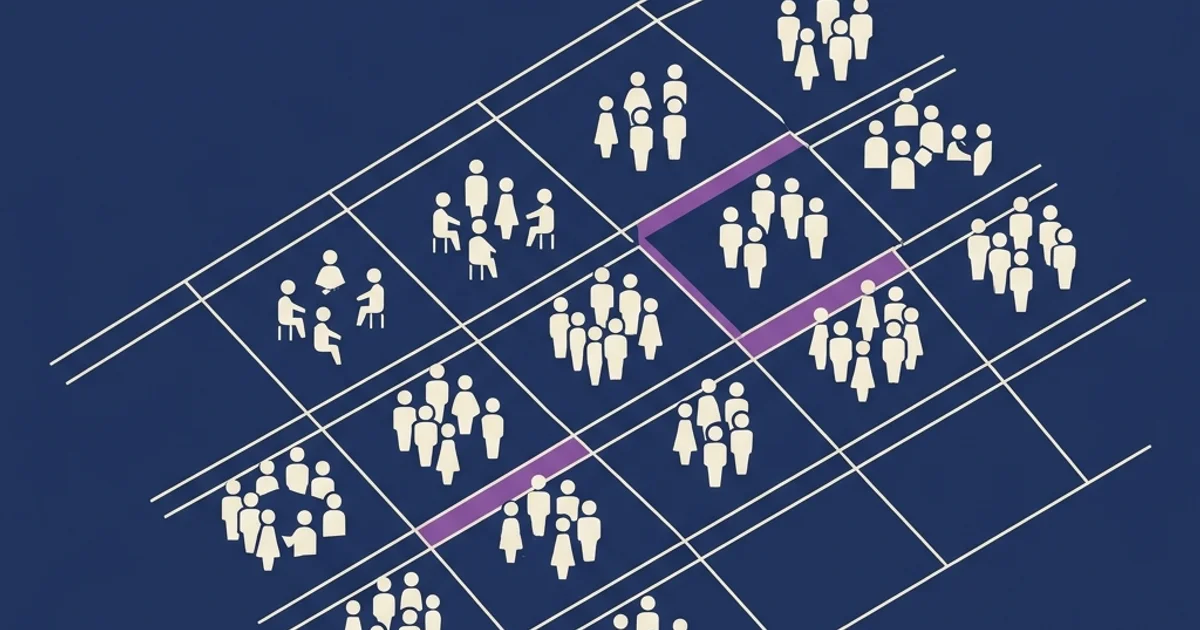
In short: time slots solve the number-one problem of capacity-limited events — endless queues — but they introduce management complexity you need to anticipate. This guide explains the three booking models, how to size your capacity, how to handle no-shows and overbooking, and what a platform must do to genuinely support the flow.
Why time slots are an underrated problem
Most organizers only think about time slots once the problem is already on the ground: “on open-day morning there was a 45-minute queue,” “we had to close the doors at noon because the exhibition was full.” By then the solution arrives long after the damage is done.
In reality, time slots are not an emergency tactic. They’re a way of shaping the experience from the start: you promise the attendee a certain level of comfort (no queues, no crowds, dedicated time) and you keep that promise by controlling density. Done well, it improves brand perception and pushes the event’s NPS up by 15–25%.
But badly designed slots are worse than no slots at all: someone who shows up at 10:00 only to discover they have to wait until 11:30 because “they booked that time but their slot fell through” will leave angry. This is where the difference lies between a system that works and one that’s just bureaucracy.
When you actually need them (and when you don’t)
Time slots make sense when physical capacity is a hard constraint or the experience demands dedicated time.
Cases where they’re essential
- Museums and exhibitions with guided routes or safety limits
- Corporate open days that include tours of production areas
- Showrooms with one-to-one or small-group product demos
- Restaurants for an event dinner with a fixed number of covers
- Labs and workshops with a maximum number of participants per facilitator
- Health screenings, mass vaccinations, public services
- Theme parks and attractions with managed waiting times
Cases where you don’t need them
- Conferences and talks in a single room with plenty of seating
- Free, open-admission events with ample capacity
- Parties and social mixers where free flow is part of the experience
- Hybrid events with a dominant digital component
Rule of thumb: if the ratio between expected demand and simultaneous capacity is greater than 3:1, slots are necessary. Between 1:1 and 3:1, they’re recommended to improve the experience. Below 1:1, they’re just useless overhead.
The 3 time-slot management models
Every event fits one of three basic models. Choose the right one before you design your booking flow.
Model 1 — Fixed slots of uniform length
How it works: you split the event into slots of equal length (e.g. 30 min, 1 hour, 2 hours). Each attendee books one and only one slot. All slots have the same capacity.
When to use it: standardized, repeatable experiences. A museum visit with a guided tour, an identical product demo for every group, health-screening sessions.
Pros: simple to communicate, easy to run, allows staff and resources to rotate. Cons: low flexibility, doesn’t adapt to different visitor profiles.
Model 2 — Flexible, self-selected slots
How it works: you define a window (e.g. “10:00 to 18:00”) and the attendee books an arrival time, then stays as long as they like up to a maximum allowed duration.
When to use it: variable-length experiences where the attendee decides how long to stay. Trade fairs, showrooms, free-roam exhibitions with staggered entry.
Pros: comfort for the attendee, less friction at checkout. Cons: it’s harder to control actual density in the room; it requires active monitoring.
Model 3 — Multi-slot (booking several slots)
How it works: an attendee books multiple slots on the same day or across the event window, typically tied to different experiences. E.g. “Product A demo slot at 10:00” + “Workshop B slot at 14:30.”
When to use it: complex, multi-section events. Corporate open days with themed rooms, cultural festivals with several activities, conferences with break-out sessions.
Pros: a high level of personalization — the attendee builds their own agenda. Cons: a more complex booking-form UX, the risk of partially empty slots, and the need for a platform that can handle slot combinations in the cart.
How to size capacity per slot
This is the most common operational question. The practical formula is:
Capacity per slot = (maximum simultaneous capacity) × 0.70 × (slot duration / average experience time)
The 0.70 factor leaves a safety margin for: transition queues, attendees who linger beyond their slot, and large groups who want to stay together.
Worked examples
| Event | Maximum capacity | Slot duration | Average time | Capacity/slot |
|---|---|---|---|---|
| Museum with guided route | 50 people | 60 min | 45 min | 26 people |
| Showroom open day | 80 people | 30 min | 20 min | 37 people |
| Event-dinner restaurant | 150 covers | 2 hours | 90 min | 140 people |
| Training workshop | 30 seats | 120 min | 100 min | 25 people |
The 3 rules you must never break
- Never exceed the venue’s physical capacity for any reason — not even if “it’ll just about fit”
- Leave at least a 10–15% buffer for late arrivals, walk-ins and special guests
- Check cumulative capacity across the day: 10 slots × 30 people = 300 total attendances — is that a number your catering, security and restrooms can handle?
Managing no-shows and overbooking
The typical no-show rate for time-slotted events (free ones) is 15–25%. For paid events it drops to 5–10%. How you handle this determines the event’s margin.
Strategy A — Accept the no-shows
No specific mechanism. If a slot has 30 people booked and 22 show up, that’s fine. Suited to: cultural events, corporate open days, sightseeing tours.
Strategy B — Controlled overbooking
You accept more bookings than your real capacity, counting on no-shows. E.g. capacity 30 → you sell 35 seats. If 32 show up, you manage with rollover. If 35 show up, the extra 5 move to the next slot (if there is one) or get a refund.
Golden rule: overbook by no more than 15% above capacity, and only if your historical no-show rate exceeds 20%. Otherwise the operational risk outweighs the benefit.
Strategy C — Automatic waiting list
When a slot is full, the attendee joins a waiting list. If someone cancels, the platform notifies them automatically and gives them X hours to confirm. Suited to highly sought-after events with strong demand.
What to look for in a platform: native support for waiting lists with automatic email notification. Ticketto, Weezevent and Eventbrite all handle it — check how it’s configured before you launch.
Communicating with the attendee
A time-slot system fails more often because of confusing communication than because of technical problems.
Pre-event communication checklist
- [ ] Immediate confirmation email with the booked slot front and center (time, duration)
- [ ] 24-hour reminder with the slot time in the subject line
- [ ] Change policy: can the user switch slots? Until when? How?
- [ ] Lateness policy: what happens if you arrive 10 minutes late? 30? Is the ticket still valid?
- [ ] Logistics: arrive 5–10 minutes early, where to check in, what to bring
A common mistake to avoid
Using vague language like “around 10:00” or “from 10 onwards.” Time slots only work with pinpoint precision in your communication. “Your slot runs from 10:00 to 10:45. Please arrive at the entrance at 9:55” is the level of detail required.
What to look for in a time-slot platform
Not every platform supports time slots in a serious way. Before you sign up, check these seven points.
- Configurable capacity per individual slot (not just a global limit)
- Controlled overbooking with a customizable threshold
- Automatic waiting list with email notification when seats free up
- Multi-slot in the cart (if you’re using Model 3)
- Slot changes by the attendee up to X hours beforehand
- Per-slot check-in (operations guide here): staff can see at a glance whether the attendee arrived at the right time
- Per-slot reporting after the event: theoretical capacity vs. actual attendees, for each slot
Time slots are a specialization of the registration form: to optimize the form itself, see our guide to the event registration page that converts.
If you want a broader picture of what a ticketing platform should do beyond time slots, we’ve written a complete guide.
Conclusion
Time slots aren’t a technicality — they’re an experience-design choice. When they work, the attendee doesn’t even notice them: they simply walk in, enjoy the event, and leave satisfied without ever feeling the pressure of a crowd. When they don’t work, they become the first thing the attendee remembers (for the wrong reasons).
The three critical points are: realistic capacity sizing, a clear policy on no-shows and lateness, and precise communication with the attendee before event day.
Ticketto natively supports all three time-slot management models, with configurable per-slot capacity, an automatic waiting list and per-slot check-in — a Pro-plan feature. If you want to see it in action, create your free account and activate Pro to set up your first slotted event: it takes 5 minutes.